
The Best EXIF Editors & Viewers in 2025: My Top Picks
Whether you’re a privacy nerd, an OSINT researcher, or just someone who wants to understand what your photos are secretly saying about you, EXIF data is worth paying attention to.
That seemingly innocent vacation pic might be leaking your GPS location, camera details, and more. If you want a deeper primer first, see the EXIF guide on the site. If you only need to inspect a file quickly, the online EXIF viewer is the fastest way to check photo metadata in your browser.
Over the past few years, I’ve tested nearly every EXIF editor and viewer I could find. Some were powerful but hard to use. Others were pretty but required uploads (which I wasn’t comfortable with). Some were blocked by paywalls.
That frustration actually led me to build my own tool—because I had time on my hands and most people don’t.
These aren’t ranked — each serves a different purpose. Depending on what you need (editing, viewing, redacting, batch processing), one of these might be perfect.
1) ExifEditor.io — A clean, browser‑based EXIF tool

Pros
- 100% browser-side — nothing is uploaded; everything runs locally.
- Shows a lot of metadata (not just GPS/timestamps) for JPEG, PNG, and TIFF, across multiple standards.
- Lets you selectively remove or edit fields (where supported).
- Instant and unlimited downloads — no account required, no paywalls.
- Modern, modular UI with bulk analysis features.
Cons
- Doesn’t support very niche file types.
- Not as comprehensively battle-tested as ExifTool.
It’s been well received by users in OSINT and privacy communities and is updated regularly. If your goal is inspection rather than editing, try the dedicated EXIF Viewer. If you need to remove or change fields after reviewing them, use the EXIF Editor.
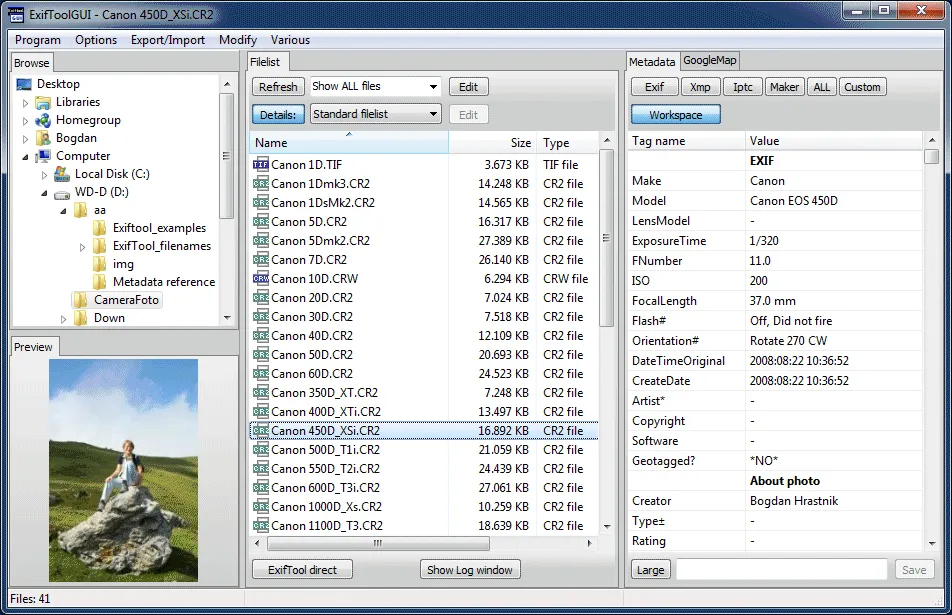
2) ExifTool — the OG powerhouse (for command‑line pros)
Pros
- Extremely powerful — batch edit thousands of files.
- Supports many metadata standards beyond EXIF (IPTC, XMP, etc.).
- Open source, battle-tested, and frequently updated.
Cons
- Command-line only (no GUI) — not beginner-friendly.
- The learning curve can be steep.
If you’re doing bulk forensics, investigative journalism, or anything programmatic, this is still the best-in-class tool.
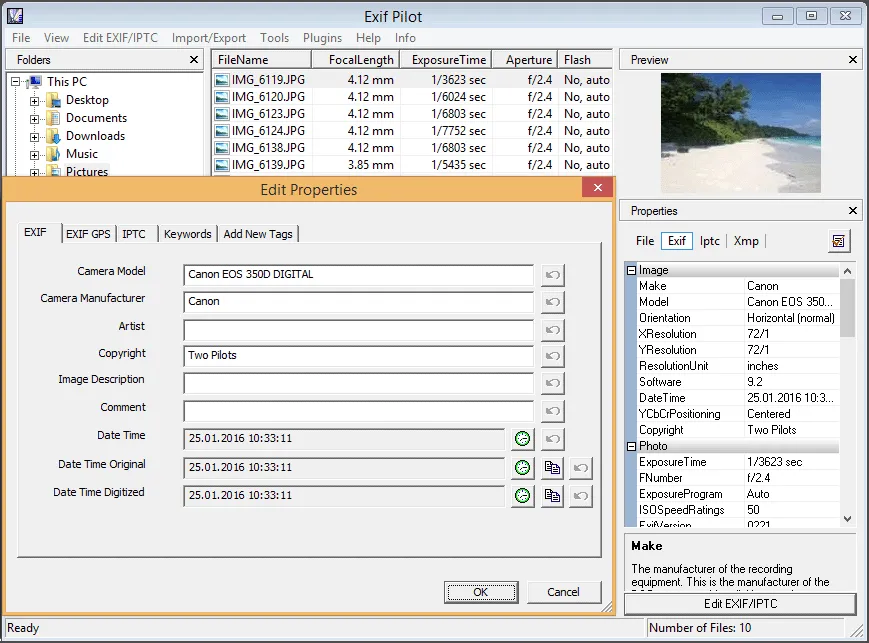
3) Exif Pilot — Windows editor with batch support
Pros
- Batch edit support.
- Can add missing EXIF data manually.
- Suitable for heavier image libraries.
Cons
- Windows only.
- Not ideal for casual users.
- Paid tier for batch editing.
It’s reliable and widely used by digital archivists and photographers who need local editing power.
Final thoughts
EXIF data can reveal a lot more than people think — from GPS coordinates to device IDs to shooting times.
The right tool depends on whether you’re a developer, a journalist, or just someone trying to protect their privacy online.
If you want a simple, browser-based way to inspect metadata first, start with the EXIF Viewer. If you want to map GPS-tagged images visually, use the Photo Location Finder. If you want to clean or change metadata after that, use the EXIF Editor. If you need the most comprehensive tool for niche file types and deep automation, you can’t beat ExifTool.
Got suggestions for other great tools? Let me know — I’d love to feature more in a follow-up. You might also want to read how to view GPS metadata in photos or why you should delete EXIF data next.
Keep Exploring EXIFEditor.io
Use the main editor to inspect or clean photo metadata, then continue with the guides, FAQ, and quiz to learn more.